Category: Blog

Your blog category

  • The DevOps Learning Pathway (High Level)

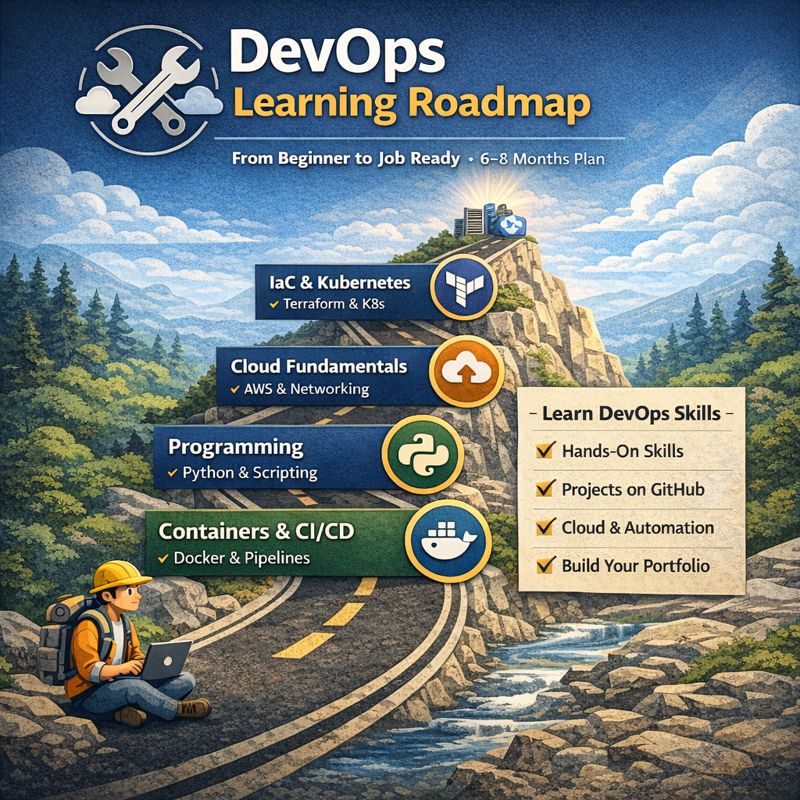
    The DevOps Learning Pathway (High Level)

    Phase 1 – Core Foundations (Linux, Networking, Git)
    Phase 2 – Programming & Scripting
    Phase 3 – Cloud Fundamentals (AWS-first)
    Phase 4 – Containers & CI/CD
    Phase 5 – Infrastructure as Code & Kubernetes
    Phase 6 – Monitoring, Security & Real Projects
    Phase 7 – Portfolio + Job Readiness

    Total: 6–8 months (can be faster if full-time)


    🔹 PHASE 1: CORE FOUNDATIONS (Weeks 1–4)

    Most DevOps beginners fail here. This phase is non-negotiable.

    Week 1 – Linux Basics (Daily Hands-on)

    Goals

    • Understand Linux filesystem
    • Move comfortably in terminal

    Tasks

    • Install Ubuntu (VM or WSL)
    • Learn:
      • ls, cd, pwd, cp, mv, rm
      • cat, less, head, tail
      • grep, find
    • Practice:
      • Create users
      • Change permissions (chmod, chown)

    Deliverable
    ✔ Navigate Linux without Google
    ✔ Create and manage files & users


    Week 2 – Linux + Processes + Networking

    Tasks

    • Learn:
      • ps, top, htop
      • systemctl
      • kill, nohup
    • Networking basics:
      • IP, DNS, ports
      • ping, curl, netstat, ss
    • Install & run:
      • Nginx
      • Restart service

    Deliverable
    ✔ Start/stop services
    ✔ Understand how apps listen on ports


    Week 3 – Git & GitHub (CRITICAL)

    Tasks

    • Learn:
      • git init, clone, add, commit
      • push, pull
      • branches & merge
    • Create GitHub account
    • Push your first repo

    Mini Project

    • Linux notes repo
    • Commit daily

    Deliverable
    ✔ Confident Git usage
    ✔ GitHub activity visible


    Week 4 – Basic Bash Scripting

    Tasks
    • Learn:
      • variables
      • conditionals (if)
      • loops
    • Write scripts:
      • Disk usage alert
      • Backup a folder
      • Restart a service if down
    Deliverable
    ✔ 3 working bash scripts in GitHub

    🔹 PHASE 2: PROGRAMMING (Weeks 5–6)

    DevOps ≠ coding like a software engineer, but you must script.

    Week 5 – Python for DevOps

    Tasks

    • Learn:
      • variables
      • lists, dicts
      • functions
    • Practice:
      • Read/write files
      • Parse logs
      • Call shell commands

    Mini Project

    • Python script to monitor disk usage

    Week 6 – APIs & Automation

    Tasks

    • Learn:
      • REST APIs
      • JSON
    • Use Python to:
      • Call public APIs
      • Automate system tasks

    Deliverable
    ✔ Python automation repo


    🔹 PHASE 3: CLOUD FUNDAMENTALS (Weeks 7–10)

    AWS is the industry default. Learn one cloud deeply.

    Week 7 – AWS Basics

    Tasks

    • Create AWS Free Tier
    • Learn:
      • EC2
      • IAM
      • Security Groups
    • Launch EC2
    • SSH into it

    Week 8 – Storage & Networking

    Tasks

    • Learn:
      • S3
      • VPC
      • Subnets
    • Host a static website on S3

    Week 9 – Databases & Scaling

    Tasks

    • Learn:
      • RDS
      • Load Balancers
      • Auto Scaling
    • Connect EC2 → RDS

    Week 10 – AWS Project

    Project

    • Deploy a web app:
      • EC2
      • Nginx
      • S3 for assets
      • IAM roles

    Deliverable
    ✔ Cloud architecture diagram
    ✔ Deployed app URL


    🔹 PHASE 4: CONTAINERS & CI/CD (Weeks 11–14)

    Week 11 – Docker

    Tasks

    • Learn:
      • Images
      • Containers
      • Volumes
    • Dockerize:
      • Simple Python app

    Week 12 – Docker Compose

    Tasks

    • Multi-container app
    • App + DB
    • Use .env files

    Week 13 – CI/CD

    Tasks

    • Learn:
      • GitHub Actions
    • Build pipeline:
      • Build image
      • Run tests
      • Push to Docker Hub

    Week 14 – CI/CD Project

    Project

    • On commit:
      • Run pipeline
      • Deploy container to EC2

    Deliverable
    ✔ Automated deployment


    🔹 PHASE 5: INFRASTRUCTURE AS CODE & K8s (Weeks 15–18)

    Week 15 – Terraform

    Tasks

    • Learn:
      • Providers
      • Resources
      • State
    • Create:
      • EC2
      • Security Group

    Week 16 – Advanced Terraform

    Tasks

    • Variables
    • Modules
    • Remote state (S3)

    Week 17 – Kubernetes Basics

    Tasks

    • Learn:
      • Pods
      • Deployments
      • Services
    • Use:
      • Minikube or Kind

    Week 18 – Kubernetes Project

    Project

    • Deploy app to K8s
    • Add:
      • Scaling
      • Rolling updates

    Deliverable
    ✔ Kubernetes manifests in GitHub


    🔹 PHASE 6: MONITORING, SECURITY & RELIABILITY (Weeks 19–20)

    Week 19 – Monitoring

    Tasks

    • Learn:
      • Prometheus
      • Grafana
    • Monitor:
      • CPU
      • Memory

    Week 20 – Security & Best Practices

    Tasks

    • Secrets management
    • IAM best practices
    • Docker image scanning

    🔹 PHASE 7: PORTFOLIO & JOB READY (Weeks 21–24)

    Build a DevOps Portfolio

    Must Have

    • 4–6 GitHub repos
    • README with:
      • Architecture
      • Tools used
      • Screenshots
    • One end-to-end DevOps project

    Optional Certs

    • AWS Cloud Practitioner
    • AWS Solutions Architect (Associate)

    📊 WEEKLY TRACKING TEMPLATE (Use This)

    Week:
    Goals:
    ✔ Task 1
    ✔ Task 2
    ✔ Task 3
    Repo link:
    Notes:
    

    🚀 How to Succeed Faster (Truth)

    • Build projects, not notes
    • Push every week to GitHub
    • Break things intentionally
    • Learn debugging
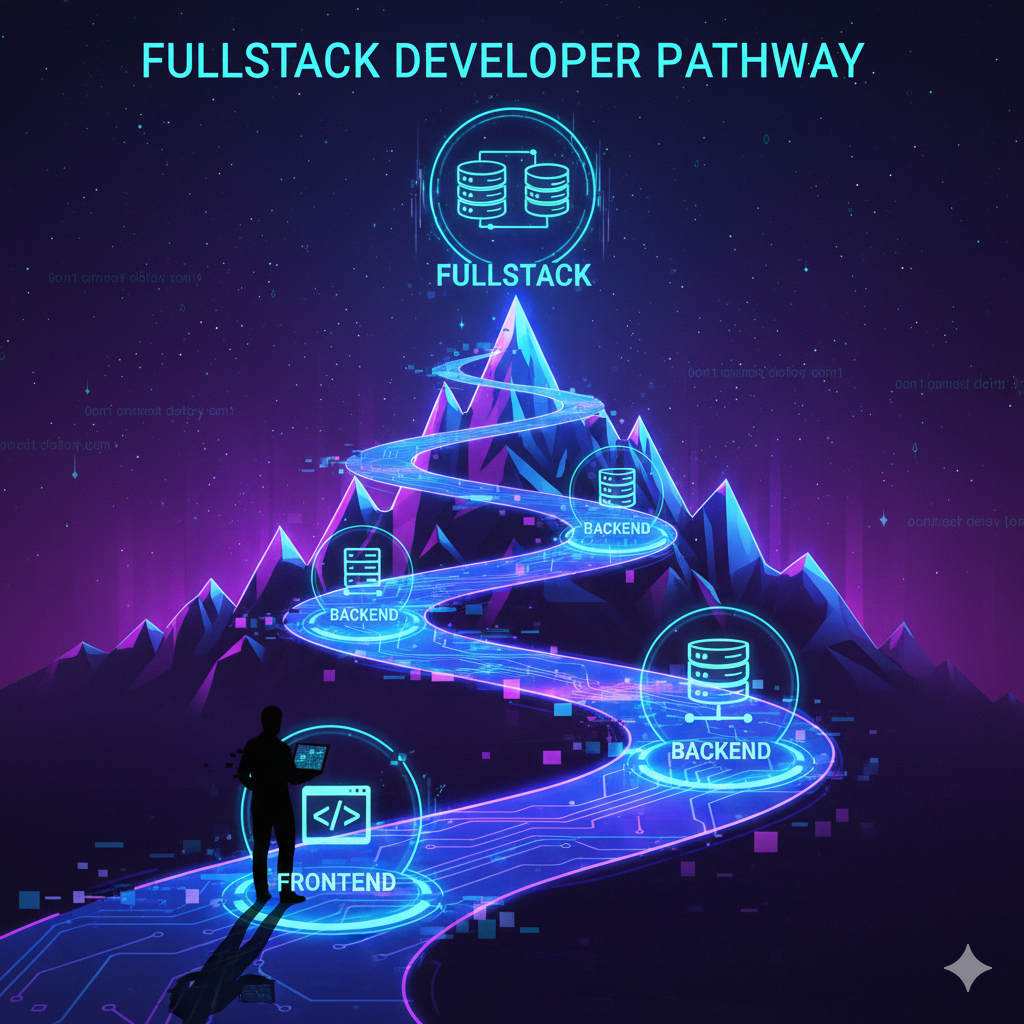
  • Pathway to a Full stack developer

    Pathway to a Full stack developer

    1) Choose a stack (pick one to start)

    You only need one primary stack to begin — you can learn others later.

    Option A — JavaScript / TypeScript (recommended)

    • Backend: Node.js + Express
    • Why: huge ecosystem, easy transition to frontend, TypeScript adds safety and is in high demand.

    2) Core learning phases (what to learn and why)

    Each phase lists must-learn topics and mini tasks.

    Phase 0 — Foundations (Weeks 0–4)

    Goals: basic programming fluency, Git, CLI, HTML/CSS basics (so you can do small full-stack demos).

    • Programming fundamentals: variables, control flow, functions, arrays/objects, async (callbacks/promises/async-await).
    • Tools: VS Code, Git, GitHub, terminal basics (cd, ls, mkdir, rm, curl).
    • Web basics: HTTP, URL, status codes, headers, JSON, how browsers request resources.
    • Mini tasks: build small scripts (e.g., weather CLI), make simple static HTML page, push code to GitHub.

    Phase 1 — Backend basics & first REST API (Weeks 5–12)

    Goals: write a real backend service, understand routing, middleware, and databases.

    • Language deepening: advanced JS/TS (modules, types, error handling), or Python if chosen.
    • Framework: Express (or Flask/Django).
    • Databases: SQL basics (SELECT/INSERT/UPDATE/DELETE), PostgreSQL or MySQL.
    • Authentication basics: sessions vs JWT.
    • Testing basics: unit tests (Jest for JS / pytest for Python).
    • Mini tasks: build a CRUD API for a “Notes” app with Postgres, Dockerize it, write tests, deploy.

    Phase 2 — Production patterns (Weeks 13–20)

    Goals: make your app robust, secure, and deployable; learn caching, background jobs, and CI.

    • Docker + docker-compose.
    • Logging & monitoring basics.
    • Caching (Redis), background processing (Bull for Node, Celery for Python).
    • Security basics: OWASP Top 10, input validation, password hashing, HTTPS/TLS basics.
    • CI/CD: GitHub Actions or GitLab CI pipelines, automated tests.
    • Mini tasks: add auth to Notes app, add background job (e.g., send emails), add Redis cache, configure CI pipeline.

    Phase 3 — Scaling & architecture (Weeks 21–28)

    Goals: understand system design basics and scaling patterns.

    • Message brokers (RabbitMQ/Kafka) basics.
    • Microservices vs monolith tradeoffs.
    • API design: RESTful vs GraphQL.
    • Load balancing, reverse proxies (Nginx), containers orchestration basics (Kubernetes intro).
    • Mini tasks: split one service into two (e.g., Posts service + Auth service), or build a queue worker and scale it locally with docker-compose.

    Phase 4 — Advanced features & polish (Weeks 29–36)

    Goals: build larger projects, solidify testing and design skills.

    • Observability: metrics, distributed tracing (concepts).
    • Advanced DB topics: indexes, migrations, transactions, replication concepts.
    • Performance tuning: profiling, query optimization.
    • Mini tasks: build a small ecommerce prototype with payments mock, analytics events pipeline, and CI/CD; include tests and infra as code (Terraform basics optional).

    Phase 5 — Interview prep & job hunt (Weeks 37–52)

    • Algorithms & data structures: arrays, linked lists, trees, hash maps, sorting, complexity analysis (Big O).
    • System design: prepare for basic to medium system design interviews (design a URL shortener, design a chat system).
    • Mock interviews, resume tailoring, open-source contributions.
    • Mini tasks: solve 40–100 algorithm problems (see schedule below), do 6 mock interviews.

    3) Detailed timeline (week-by-week for the first 12 weeks, then monthly)

    I’ll show a weekly plan for the first 12 weeks (most critical) and monthly checkpoints afterward.

    Week 1 (Day 1–7)

    • Install tools: VS Code, Git, Node / Python, Postgres, Docker.
    • Learn Git basics: git init, git add, git commit, git push.
    • Do an intro tutorial: JS basics (variables, loops, functions) or Python basics if chosen.
    • Mini: create GitHub repo and push a “hello world” script.

    Week 2

    Week 3

    • HTTP fundamentals (GET/POST/etc), status codes, headers, JSON.
    • Learn Express basics (or Flask): routing, middleware.
    • Mini: simple Express server with 3 routes.

    Week 4

    • SQL basics: SELECT, WHERE, JOIN, INSERT, UPDATE, DELETE.
    • Setup Postgres, connect from Node/Python.
    • Mini: connect Express to Postgres and store simple records.

    Weeks 5–8

    • Build Notes API: CRUD endpoints + Postgres, input validation, basic auth (JWT).
    • Add unit tests (Jest or pytest).
    • Dockerize app + postgres via docker-compose.
    • Deploy to free tier (Railway/Render/Heroku) — learn env vars and secrets.
    • Outcome: deployed Notes app, tests, Dockerfile, GitHub repo.

    Weeks 9–12

    • Add features: rate limiting, email notifications (use SendGrid or mock), file uploads.
    • Add Redis for caching.
    • Add CI: run tests on PR with GitHub Actions.
    • Start small frontend (optional): simple HTML/JS to call your API so you can demo full-stack.

    Months 4–6 (if intensive) / Months 4–9 (if part-time)

    • System design basics + microservices experiments.
    • Build bigger project: e-commerce or scheduling app with:
      • auth service, product service, order service (or simpler: blog + comments + search)
      • background jobs (order processing), message queue
      • monitoring/logging basics
    • Start interview prep: weekly algorithm practice, a few mock interviews.

    Months 6–12 (final polish for both tracks)

    • Contribute to an open-source project or build a public portfolio project with strong README and architecture docs.
    • Network: GitHub, LinkedIn, meetups, referrals.
    • Apply to jobs, do mock interviews, iterate on resume and interview answers.

    4) Concrete projects (in order of increasing difficulty)

    Build these and put each in GitHub with: README, architecture diagram, tests, Dockerfile, CI, and a deployed link.

    1. Notes API (CRUD) — Postgres, Express/Flask, JWT auth, unit tests, Docker, deployed.
    2. Authentication system — Email/password, password reset, sessions/JWT, refresh tokens.
    3. Blog platform — Users, posts, comments, image upload, pagination, search.
    4. Task queue demo — Submit jobs (e.g., image conversion), process with worker (Bull/Celery), show queue UI.
    5. E-commerce prototype — Product catalog, orders, payments mock, order processing pipeline.
    6. Real-time chat — WebSocket or Socket.IO, rooms, presence, deploy.
    7. Microservice split — API gateway + two small services + message broker to show interservice comms.

    For each project include:

    • Architecture diagram (draw.io screenshot or Markdown diagram).
    • How to run locally (Docker compose).
    • How to deploy and credentials (no secrets).
    • Tests and badges (CI passing).

    5) Interview preparation (how to practice)

    • Algorithm practice: do problems on LeetCode/HackerRank. Start easy → medium. Schedule:
      • Intensive: 1–2 problems daily (30–60 min).
      • Part-time: 3–4 problems/week.
    • System design: study basic patterns; practice 1 design per week (URL shortener, tiny social feed).
    • Mock interviews: use Pramp, Interviewing.io, or pair with peers. Do 1 mock/week in the last 8 weeks.
    • Behavioral: prepare STAR stories for 8–10 experiences (teamwork, conflict, project ownership).

    6) Tools + nitty gritty you’ll use daily

    • Editor: VS Code (extensions: Prettier, ESLint, GitLens).
    • DB tools: psql CLI, PgAdmin, DBeaver.
    • API testing: Postman or Insomnia.
    • Version control: Git + GitHub (PR workflow).
    • Containers: Docker, docker-compose.
    • CI/CD: GitHub Actions.
    • Cloud: learn basics of one cloud (AWS, GCP, or Azure). Start with deploying apps to a simple platform (Render / Railway / Heroku) then learn EC2/ECS or App Engine.
    • Monitoring: simple logging to console, then explore Prometheus/Grafana later.

    7) Weekly study schedule templates

    Intensive (40 hours/week) — sample week

    • Mon–Fri: 6–7 hours/day
      • 2–3 hours course/tutorial
      • 2 hours hands-on coding (project)
      • 1 hour reading/docs + 30min algorithms
    • Sat: 6 hours — deep work: architecture, tests, CI.
    • Sun: rest + 1–2 hours review.

    Part-time (20 hours/week) — sample week

    • Mon/Wed/Fri: 2.5 hours each — tutorials + exercises.
    • Tue/Thu: 2.5 hours each — hands-on project work.
    • Sat: 4 hours — deep work, tests, deployment.
    • Sun: 1 hour — algorithms or reading.

    8) What “intermediate developer” looks like (checkpoint)

    You should be able to confidently say “I can …”:

    • Build, test, and deploy a production-grade REST API.
    • Design a small system and reason about tradeoffs.
    • Use SQL and optimize queries; model relational data.
    • Implement authentication and basic security practices.
    • Write unit and integration tests; set up CI pipelines.
    • Containerize apps with Docker and deploy to cloud or PaaS.
    • Use Redis for caching and a queue for background jobs.
    • Debug and profile backend issues; interpret logs.
    • Communicate about architecture, write good READMEs and docs.
      If you can do these, you’re intermediate.

    9) Resources (pick ones that fit your learning style)

    Free: freeCodeCamp, MDN Web Docs, The Odin Project, SQLBolt, nodejs.org docs, Express docs, Django docs.
    Structured / paid: Udemy (look for high-rated Node/TypeScript or Django courses), Frontend Masters (for deep backend topics), Educative.io (system design).
    Books (for later): Designing Data-Intensive Applications (useful for architecture), Clean Code (coding craftsmanship).


    10) First 30 days — exact action plan (no fluff)

    Follow this if you want immediate focus.

    Days 1–7:

    • Setup tools, GitHub, Node or Python.
    • Finish 10 small exercises (loops, functions, arrays).
    • Push first repo.

    Days 8–15:

    • Complete a beginner tutorial for Express or Flask.
    • Learn SQL basics and create a Postgres DB locally.

    Days 16–23:

    • Start the Notes API: routing, DB connection.
    • Commit daily, open PRs to yourself — practice writing good commit messages.

    Days 24–30:

    • Add JWT auth and tests for basic endpoints.
    • Dockerize and push to GitHub.
    • Deploy to free tier.

    At day 30: you’ll have a deployed project, GitHub repo, and the confidence to continue to bigger features.


    11) How to get your first job / internships

    • Polish 2–3 showcase projects with documentation.
    • Add a short technical writeup on each (1–2 pages).
    • Contribute to small open-source issues (label “good first issue”).
    • Apply to many roles, tailor your resume, include links to GitHub and deployed apps.
    • Network: LinkedIn posts about your projects, join local dev meetups, ask for informational interviews.
    • Prepare 10–20 STAR stories for behavioral interviews.

    12) Common pitfalls + how to avoid them

    • Pitfall: jumping between too many technologies.
      Fix: pick one stack and finish projects with it.
    • Pitfall: projects without tests or docs.
      Fix: always add at least basic tests and README.
    • Pitfall: focusing only on tutorials and not building.
      Fix: build small projects from day 10 onward.
    • Pitfall: ignoring algorithms.
      Fix: 20–45 minutes, 3× weekly practice.

    13) Final checklist — are you ready to apply?

    You’re ready when:

    • You have 2–3 public projects (deployed + repo + README).
    • You can explain architectural decisions for those projects.
    • You can solve common interview coding problems (medium level).
    • You understand deployment and can debug production logs.
    • Your resume and LinkedIn highlight your projects and tech stack.
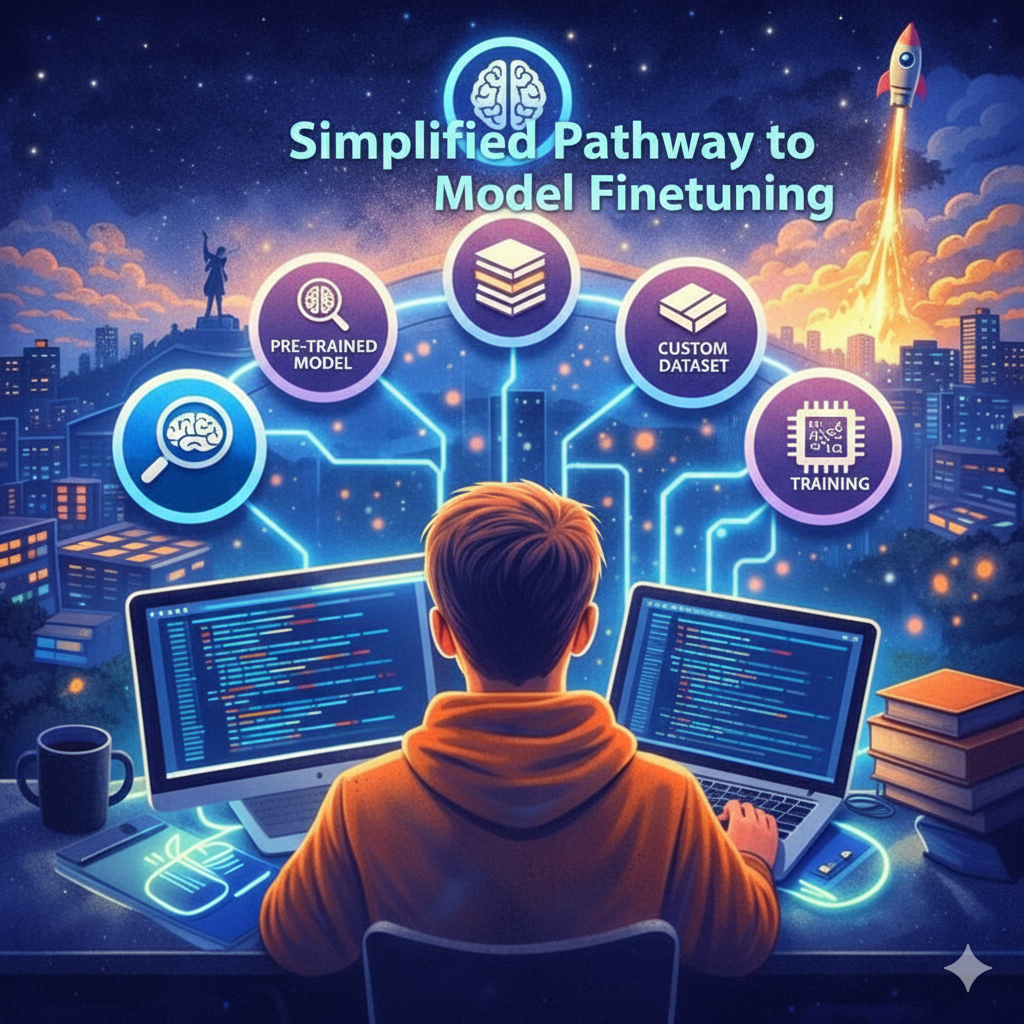
  • Simplified Pathway to Model Finetuning

    Simplified Pathway to Model Finetuning

    Month 1: Foundations + First Fine-Tune

    Goal: Learn Hugging Face + PyTorch basics and fine-tune your first model.

    Skills

    Python (NumPy, Pandas, basic classes).

    PyTorch basics (tensors, training loops).

    Transformers (attention, embeddings, tokenization).

    Hugging Face: transformers, datasets, peft.

    Projects

    Fine-tune DistilBERT on sentiment classification.

    Fine-tune a small LLaMA/Mistral model for Q&A.

    Milestone:

    ✅ You can load a model from Hugging Face, fine-tune it, evaluate it, and push it back to the Hugging Face Hub.

    Month 2: Fine-Tuning Mastery

    Goal: Practice multiple fine-tuning strategies + domain applications.

    Skills

    LoRA / QLoRA (parameter-efficient fine-tuning).

    Adapters, prompt-tuning.

    Vector databases (FAISS) + Retrieval-Augmented Generation (RAG).

    Projects

    Fine-tune LLaMA or Mistral with LoRA for domain-specific chatbot (e.g., customer support, medical, or legal).

    Build a RAG pipeline (fine-tuned model + vector DB).

    Fine-tune Stable Diffusion with DreamBooth for custom branding.

    Milestone:
    ✅ You can adapt models to specific industries and optimize GPU cost with LoRA/QLoRA.

    Month 3: Deployment + Portfolio

    Goal: Learn to deploy fine-tuned models + build job-ready portfolio.

    Skills

    Model serving (Hugging Face Inference API, AWS Sagemaker, Docker).

    Quantization for cheaper inference.

    Experiment tracking (Weights & Biases).

    Projects

    Deploy your fine-tuned chatbot as an API or web app.

    Optimize with quantization (run on CPU or small GPU).

    Create a portfolio repo with 3–4 end-to-end fine-tuning demos.

    Milestone:
    ✅ You have public projects + live demos proving you can fine-tune, optimize, and deploy models.

    📊 Condensed Timeline

    Month 1: Learn → fine-tune first models (DistilBERT + LLaMA).

    Month 2: Master fine-tuning techniques (LoRA, QLoRA, RAG, multimodal).

    Month 3: Deploy + portfolio (live API, Hugging Face Hub, blog posts).

  • Attendance Plugin

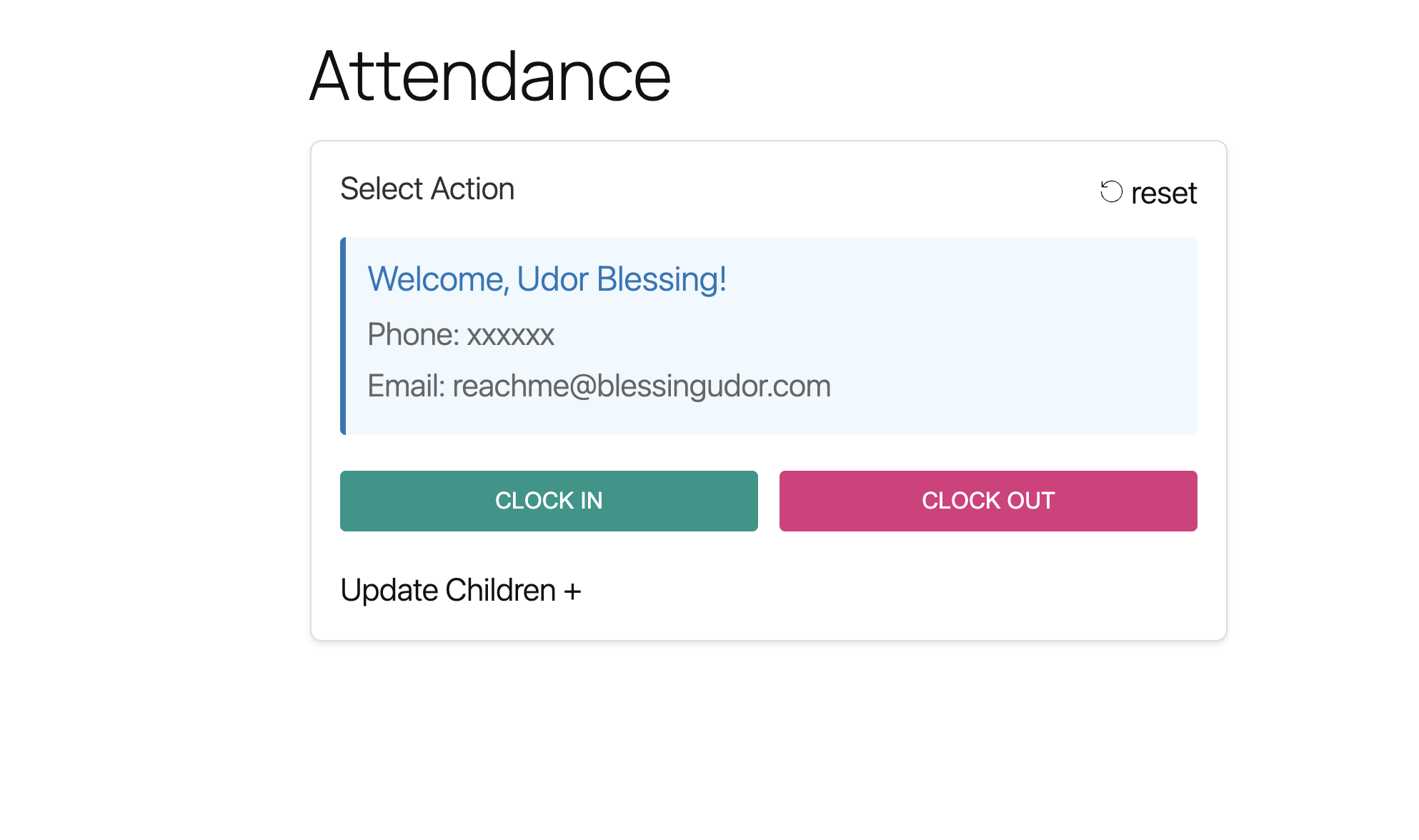
    Attendance Plugin

    A church attendance plugin for children department. Keep track of children clock in and clock out. Use the admin dashboard to manage passcode to ensure only authorized attendance are recorded

  • Auto Sync Plugins and Themes

    Gives the ability to import plugins or themes directly via repo url. This just helps you jump the process of downloading a zip file of the plugin or theme and uploading to your website